




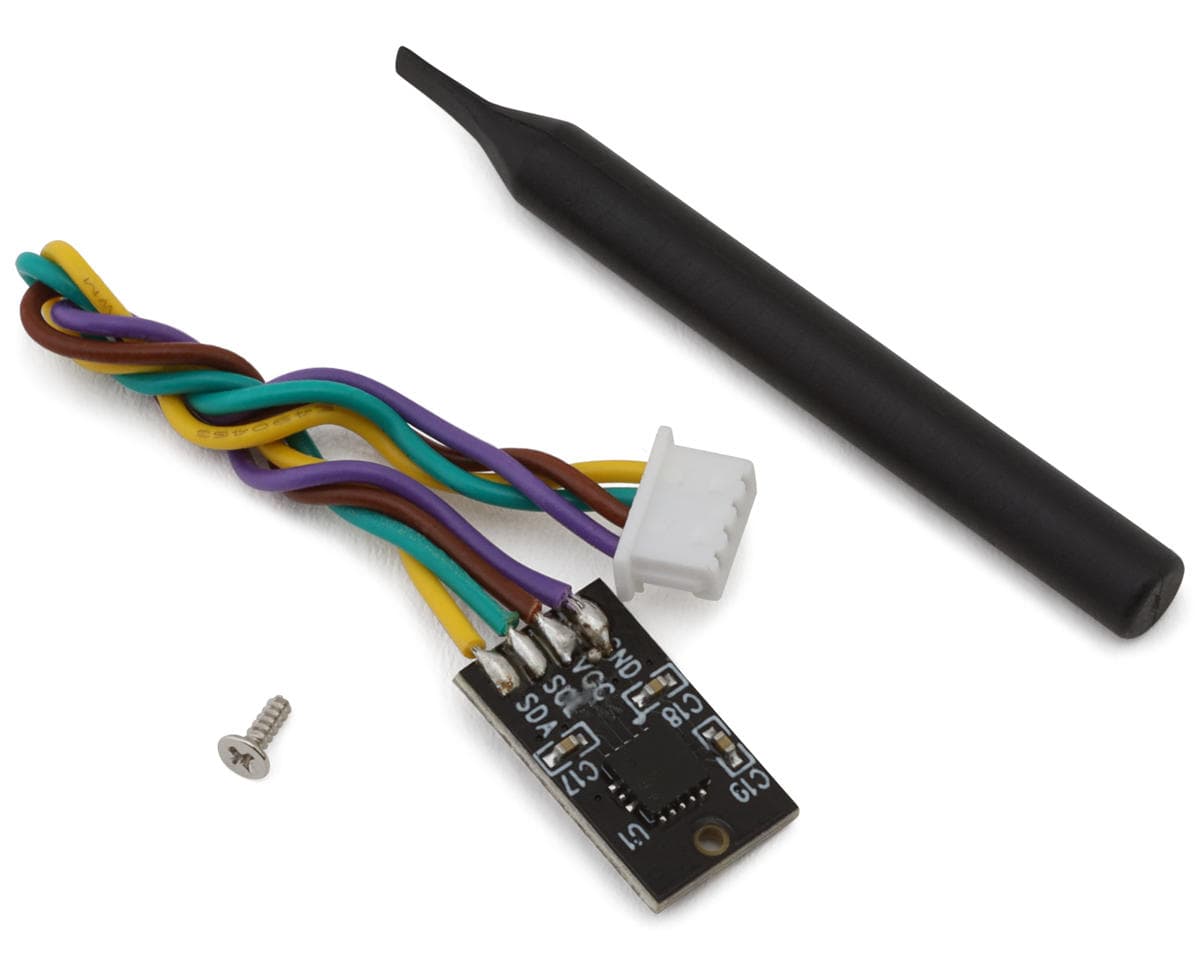
Kyosho Readyset Gyro Unit Set
About this part
Gyro Unit Overview:
Enhance the stability and control of your RC vehicle with the Kyosho Readyset Gyro Unit Set. This high-quality gyro unit is designed to help maintain precise handling by reducing unwanted steering fluctuations. Whether you're racing on high-speed tracks or navigating challenging terrain, this unit provides the extra control needed for a smooth and responsive driving experience. Easy to install and adjust, it's a great upgrade for any RC enthusiast.
About the Gyro
Advanced Stability and Control
The Kyosho Readyset Gyro Unit Set improves driving performance by automatically adjusting steering input to counteract oversteer and instability. Designed for seamless integration with compatible RC models, this unit offers adjustable sensitivity to fine-tune your driving experience. Whether you're a beginner or an experienced racer, this gyro unit enhances control and confidence on the track.
Features:
- Enhances stability and steering control
- Reduces oversteer and unwanted steering fluctuations
- Adjustable sensitivity for fine-tuned performance
- Easy installation with plug-and-play design
- Compatible with select Kyosho Readyset models
- Improves handling on high-speed tracks and rough terrain
Includes:
- (1) Readyset Gyro Unit Set
Reviews5.0 · 1 review
I'll start by saying, make sure to verify that your mini-z and the gyro are compatible. I have the Mini-Z McLaren body that uses the Readyset electronics. I made the mistake of purchasing the MZW712 first. The MZW712 is a 3 wire gyro, while this MZW711 is a 4 wire gyro. Installation is very easy. You will need a tiny philips screwdriver to install this. If you do not have one, I would suggest picking up a small screwdriver kit such as the mini-z essentials kit. All it takes to install is to remove the screw and blank plate where the gyro goes on the top of the body. Plug the gyro into the smaller of the two ports. It can be a little difficult to tell the difference size wise, so just hold the plug close to each port and you'll see the difference. The plug only goes in one way easily, so if you feel like you have to push hard, turn it around. Place the gyro circuit board in the place where you removed the empty plate with the electronics side of the circuit board facing down (smooth side up). The hole in the circuit board will line up with the hole that was holding the blank plate. Insert the screw and the install is complete. Gyro correction amount (in the manual it's called the "volume" dial). The kit comes with a tiny flat head screwdriver, so you can use it or the smallest flathead tip in the mini-z kit mentioned above. The dial is next to the button for pairing the receiver. The further you turn it to the right (clockwise) the more correction, the further to the left (counter-clockwise) the less correction. You can turn this dial with the car powered on. You'll know if the gyro is working if you turn the dial all the way to the right (max correction) and with the car lifted in the air if you move the whole body in either left or right you'll see the tires turn in the opposite direction trying to correct the motion. This is a good thing. ::: IMPORTANT ::: I personally do not recommend turning the gyro all the way to the right (max correction). Doing this is too sensitive and makes the car jittery because it's sensing every single motion. You'll really notice this when driving a simple straight line and the car looks like you put it's batteries in a vat of espresso. My suggestion/recommendation to know how high to set it is to drive it on a long slick path (such as a hallway with a smooth tile floor). Go straight as fast as you can, if it starts to jitter then just turn the dial down a little. Repeat this process until the jitter is almost entirely gone. Even with it set correctly it will still occasionally shake. This is normal. Have fun!