




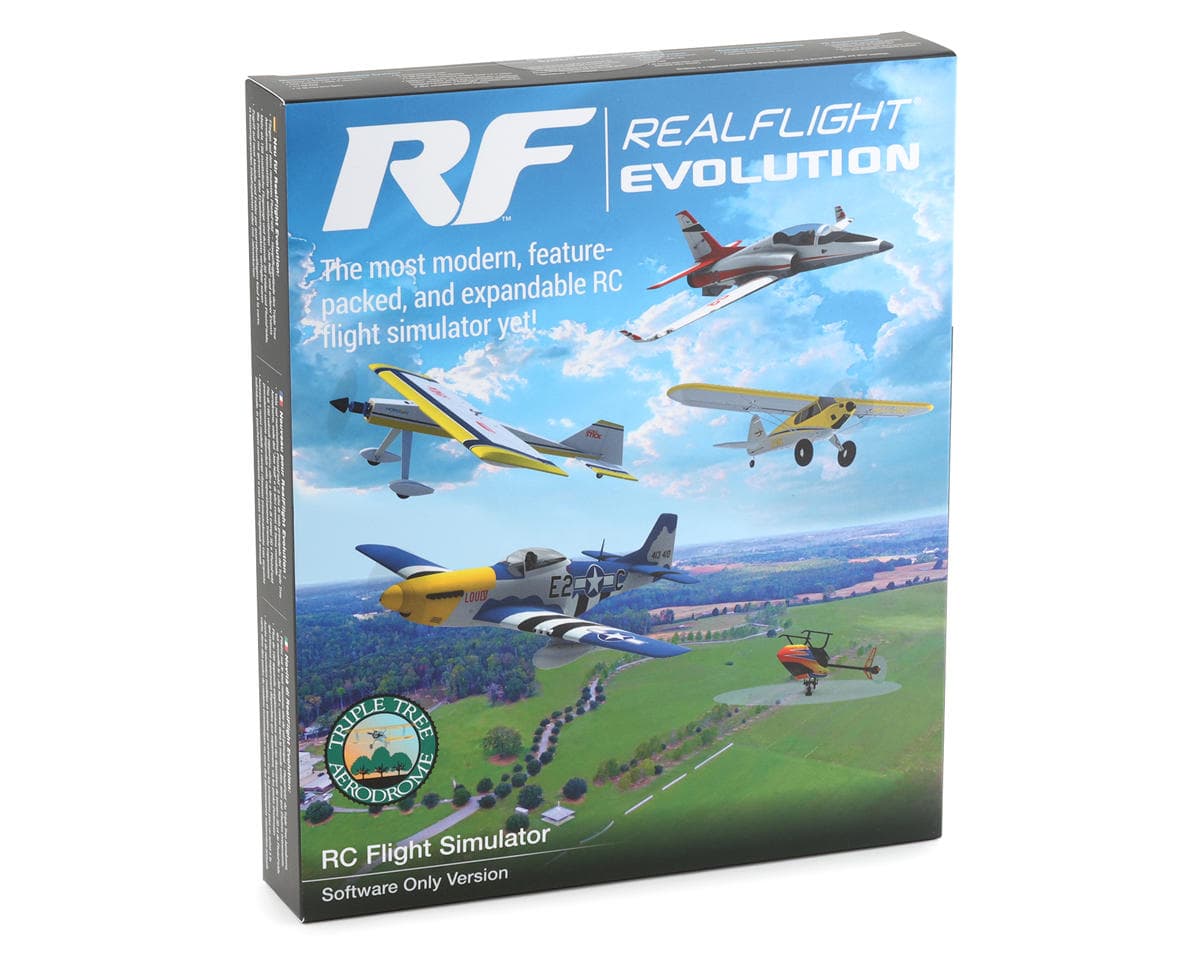
RealFlight Evolution RC Flight Simulator (Software Only) (Steam download)
About this part
RealFlight Evolution "evolves" the world's most popular RC flight sim with a fresh and modern user interface, adds the main flying site from Triple Tree Aerodrome – home of the world-famous "Joe Nall" and other events – plus dozens of other 3D fields and PhotoFields. It also adds more than a dozen of the newest and most popular aircraft from E-flite, HobbyZone, Hangar 9 and Blade, and more than 100 additional aircraft models. Best of all, it also gives you access to new models and fields that will be released quarterly (starting in early 2023) for purchase à la carte, in money-saving content packs, or with yearly season passes!
That access to new models and fields comes as a result of RealFlight Evolution being delivered exclusively via Steam® – the world's largest digital distribution platform for PC games and simulators. Steam eliminates the need to use DVDs and compatible drives for installation, provides seamless and automatic software updates, and even allows you to install RF Evolution on multiple PCs using the Steam Client and your account. There's no serial number to lose over time and it's easier than ever to add RealFlight to additional PCs in the future!
Updated Features:
- A fresh and modern user interface that's even easier and more intuitive to use, virtually eliminating the need to use a mouse or keyboard with the InterLink DX controller
- More than a dozen of the most popular ultra micro, sport, scale, EDF and trainer aircraft from E-flite, HobbyZone and Hangar 9 plus multiple helicopters from Blade
- Fly at updated PhotoFields – the main flying site from Triple Tree Aerodrome, home of the world-famous "Joe Nall" and other events
- More than 100 additional aircraft plus dozens of 3D fields and PhotoFields previously only available separately via Expansion Packs
- Access to models and fields released quarterly (starting in early 2023) for purchase à la carte, in money-saving content packs, or with yearly season passes
- Additional Virtual Flight Instructor lessons for beginner pilots learning to fly with the HobbyZone AeroScout 1.1m
- Industry-leading True-To-Life™ physics that make every flight more lifelike than any other sim
- A simple and intuitive interface for zero learning curve, zero hassle, and more fun
- More than 300 aircraft including airplanes, helicopters, drones, and more
- Over 75 different flying sites including 3D fields and PhotoFields
- FlexiField™ Site Editor so you can make fields your own
- The ability to edit aircraft and import custom aircraft
- Virtual Flight Instructor lessons perfect for beginner pilots
- Game-like challenges that make flying fun and interactive
- Multiplayer options so you can fly or compete with other pilots online
- Compatible with Oculus™ Rift, Meta Quest, HTC® Vive™ and other SteamVR-compatible headsets (sold separately)
- Works with Spektrum wireless simulator dongles for use with compatible DSM2/DSMX equipped transmitters (sold separately)
- Compatible with Spektrum NX6, NX8, NX10 and other transmitters (sold separately) via direct USB connection
- Minimum Requirements:*
- Windows 7 or Windows 8 or Windows 10**
- Intel Pentium 1.0GHz or equivalent
- 512 MB RAM
- 10 GB Hard Drive Space
- DVD Drive
- 3D Accelerated Video with:
- 32 MB Dedicated Video Memory
- Fully DirectX 9 compliant (Shader Model 2.0 or better)
- Spektrum InterLink DX Simulator Controller, a Spektrum wireless simulator dongle plus a compatible DSM2/DSMX equipped transmitter, a RealFlight compatible controller, or other compatible Gamepad/Joystick
- Online Activation Required
- Internet connectivity required for activation** and to download additional content and updates
- Optimal Requirements:
- Dual Core 2.4GHz CPU
- 2 GB RAM
- 3D Accelerated Video with: 512 MB dedicated video memory
- Multiplayer Requirements:
- Broadband Internet connection
- Computer microphone for voice chat
- InterLink DX Controller Requirements:
- USB Port
- Compatible FM or FM-selectable transmitter (if using the interface mode)***
- VR Requirements:
- Compatible with some VR sets (available separately). Check the manufacturer's requirements for VR system use.
- Works with both the Oculus Rift and HTC Vive VR headsets
- Use Spektrum USB Dongle (SPMWS2000) for Enabling any DSMX or DSM2 transmitter to connect wirelessly as a USB game controller
- Some graphical features may be disabled. Aerodynamic calculations will remain high quality
- Administrator access required
- Adapter cord/cable set available separately (RFL1015) for use with the InterLink DX that will make it compatible with the trainer jacks on most Futaba plus all JR and Spektrum transmitters
- (1) RealFlight Evolution Steam Key (on card)
- (1) RealFlight Evolution Installation Guide
- Compatible PC desktop/laptop
- Internet connection for activation and updates
- Steam software & Steam account - Found Here >>Click Me<<
Reviews2.0 · 2 reviews
Why is there no Mac version? Macs are way better than Windows and the M chips are making Mac super popular. Why?
I learned to fly in the mid 90s using a free open source RC simulator and it worked OK, however, the user created models or hit and miss and sometimes did not download correctly. Fast forward years later I bought the Real Flight G2 I with the controller which I still own today. It seemed like a nice upgrade to the freeware I was using before with better physics, better planes more fields etc. I started to learn how to fly helicopters on G2 although I still own helicopters I’m afraid to fly in real life. Eventually I switched to Mac and Real flight was dead to me for over 20 years. In 2025 I bought a top of the line PC and I decided to go ahead and buy the steam downloadable version of evolution. I have not flown RC airplanes in many years due to time constraints, and now that I live in a heavily wooded area in the mountains, RC planes are mostly out of the question save maybe a few flights with a small drone although I had purchased a newer controller, the Spektrum NX8 thinking I was going to get back into RC flight before the move. The first thing I noticed about evolution is that it looked like the old simulator I was already used to. Physics seemed to be about the same, all though there are new models, fields, and a follow version I don’t see the point of. There are new realistic photo fields and possibly a few new features I was not aware of in the earlier version. I’ve only spent about an hour so far on the software using my NX8 finally. The graphics look good as I am also using one of the most up-to-date PC builds available with a GeForce 5070 TI graphics card and a very widescreen Samsung 57 inch monitor. I was having some issues with the planes going off the top of the screen completely but I am still working on finding settings to keep the planes in view. I find the menus are not as intuitive as I would like them to be. It took me quite a while to find one particular feature I wanted to turn off and had to do a lot of searching on the Internet to find it. I really haven’t seen a whole lot of slope flying fields in this software yet. Hopefully there will be some user created slope fields that I could download because it was one of my favorite types of flying. I’m finding using the key stroke map is the best to turn on or off different functions. Is it the best RC flight simulator out there? Maybe, maybe not but for the price I guess it isn’t too bad although I think it’s kind of silly providing a box that must be physically shipped out that only contains a redeem code. All in all I kind of equate evolution to buying a new iPhone. You know it must have a lot of new features that outweigh the previous version but they often don’t stand out and it feels like you’re using the same software you used 10 years ago.