




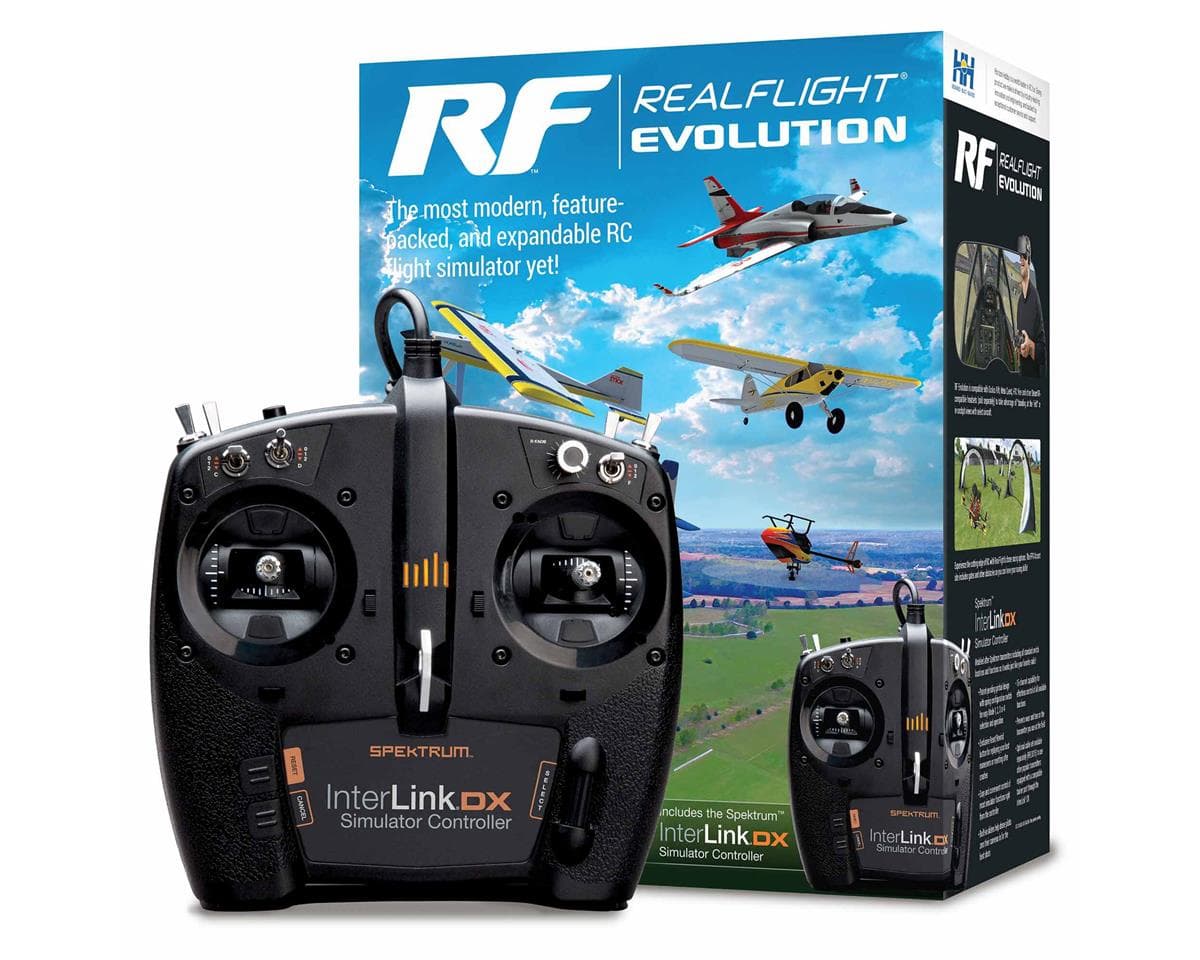
RealFlight Evolution RC Flight Simulator w/InterLink DX Controller
About this part
RealFlight Evolution "evolves" the world's most popular RC flight sim with a fresh and modern user interface, adds the main flying site from Triple Tree Aerodrome – home of the world-famous "Joe Nall" and other events – plus dozens of other 3D fields and PhotoFields. It also adds more than a dozen of the newest and most popular aircraft from E-flite, HobbyZone, Hangar 9 and Blade, and more than 100 additional aircraft models. Best of all, it also gives you access to new models and fields that will be released quarterly (starting in early 2023) for purchase à la carte, in money-saving content packs, or with yearly season passes!
That access to new models and fields comes as a result of RealFlight Evolution being delivered exclusively via Steam® – the world's largest digital distribution platform for PC games and simulators. Steam eliminates the need to use DVDs and compatible drives for installation, provides seamless and automatic software updates, and even allows you to install RF Evolution on multiple PCs using the Steam Client and your account. There's no serial number to lose over time and it's easier than ever to add RealFlight to additional PCs in the future!
Updated Features:
- A fresh and modern user interface that's even easier and more intuitive to use, virtually eliminating the need to use a mouse or keyboard with the InterLink DX controller
- More than a dozen of the most popular ultra micro, sport, scale, EDF and trainer aircraft from E-flite, HobbyZone and Hangar 9 plus multiple helicopters from Blade
- Fly at updated PhotoFields – the main flying site from Triple Tree Aerodrome, home of the world-famous "Joe Nall" and other events
- More than 100 additional aircraft plus dozens of 3D fields and PhotoFields previously only available separately via Expansion Packs
- Access to models and fields released quarterly (starting in early 2023) for purchase à la carte, in money-saving content packs, or with yearly season passes
- Additional Virtual Flight Instructor lessons for beginner pilots learning to fly with the HobbyZone AeroScout 1.1m
- Industry-leading True-To-Life™ physics that make every flight more lifelike than any other sim
- A simple and intuitive interface for zero learning curve, zero hassle, and more fun
- More than 300 aircraft including airplanes, helicopters, drones, and more
- Over 75 different flying sites including 3D fields and PhotoFields
- FlexiField™ Site Editor so you can make fields your own
- The ability to edit aircraft and import custom aircraft
- Virtual Flight Instructor lessons perfect for beginner pilots
- Game-like challenges that make flying fun and interactive
- Multiplayer options so you can fly or compete with other pilots online
- Compatible with Oculus™ Rift, Meta Quest, HTC® Vive™ and other SteamVR-compatible headsets (sold separately)
- Works with Spektrum wireless simulator dongles for use with compatible DSM2/DSMX equipped transmitters (sold separately)
- Compatible with Spektrum NX6, NX8, NX10 and other transmitters (sold separately) via direct USB connection
- Minimum Requirements:*
- Windows 7 or Windows 8 or Windows 10**
- Intel Pentium 1.0GHz or equivalent
- 512 MB RAM
- 10 GB Hard Drive Space
- DVD Drive
- 3D Accelerated Video with:
- 32 MB Dedicated Video Memory
- Fully DirectX 9 compliant (Shader Model 2.0 or better)
- Spektrum InterLink DX Simulator Controller, a Spektrum wireless simulator dongle plus a compatible DSM2/DSMX equipped transmitter, a RealFlight compatible controller, or other compatible Gamepad/Joystick
- Online Activation Required
- Internet connectivity required for activation** and to download additional content and updates
- Optimal Requirements:
- Dual Core 2.4GHz CPU
- 2 GB RAM
- 3D Accelerated Video with: 512 MB dedicated video memory
- Multiplayer Requirements:
- Broadband Internet connection
- Computer microphone for voice chat
- InterLink DX Controller Requirements:
- USB Port
- Compatible FM or FM-selectable transmitter (if using the interface mode)***
- VR Requirements:
- Compatible with some VR sets (available separately). Check the manufacturer's requirements for VR system use.
- Works with both the Oculus Rift and HTC Vive VR headsets
- * Some graphical features may be disabled. Aerodynamic calculations will remain high quality
- ** Administrator access required
- *** Adapter cord/cable set available separately (RFL1015) for use with the InterLink DX that will make it compatible with the trainer jacks on most Futaba plus all JR and Spektrum transmitters
- (1) Spektrum InterLink DX Simulator Controller
- (1) RealFlight Evolution Steam Key (on card)
- (1) RealFlight Evolution Installation Guide
- Compatible PC desktop/laptop
- Internet connection for activation and updates
- Steam software & Steam account - Found Here >>Click Me<<
CA Residents Prop 65 Warning
WARNING: This product can expose you to chemicals including Di(2-ethylhexyl)phthalate (DEHP), which is known to the State of California to cause cancer and birth defects or other reproductive harm. For more information go to www.P65Warnings.ca.gov Details...Reviews4.0 · 6 reviews
I got back into flying RC airplanes recently after about 10 years of being out of it. I would not fly an airplane without using the simulator first because I knew I would crash a plane. As a matter of fact I did crash several times before I landed on the simulator. I'm just glad the simulator can save me a lot of money by helping to keep from crashing real planes and keep me occupied in the winter time if I don't have a airplane to work on.
Ordering the item as a first time user was easy and quick. Right away I was receiving updates on when to expect the package so I could be looking out for it's arrival at the correct time. When my package did arrive it was exactly what I ordered and in perfect condition. I will buy from amain hobbies again.
Great simulator. Comes with a transmitter to plug into a USB so as not to wear on my tx from regaular sim time. Downloading from Steam was easy. Tried and true Real Flight. Classic simulator that just works without any hassel on set up or additional programming required.
I decided to upgrade my 7.5 version. For this version rather than supply the software, it's distributed from a company/app called Steam. I've been unable to get the reCAPTCHA to let me establish an account. I get "Your response to the CAPTCHA appears to be invalid. Please re-verify that you're not a robot below. (Reference ID:4029097399450411291)". Very helpful. I've gotten the check in the box on numerous attempts, but the app won't accept the good response. No clue as to how to fix it. After quite a few tries, I get this message: "Try again later. Your computer or network may be sending automated queries. To protect our users, we can't process your request right now. For more details visit our help page." The "on our help" links to a Google page that is pretty worthless. All I can do is return this crap.
I'm trying to find someone to tell me how to download this real flight program. Can you help me....
Reviewers largely praise the RealFlight Evolution simulator and bundled InterLink DX controller as easy to set up and useful for learning to fly without risking real aircraft. Several note that the controller plugs in via USB, sparing their own transmitters from simulator use, and that a Steam account made installation straightforward. One reviewer, who was upgrading from version 7.5, reports being unable to complete Steam account creation because the reCAPTCHA repeatedly rejected valid responses, and eventually received a message about automated queries. Another reviewer was unable to find download instructions. Order fulfilment was described positively by one reviewer. Review count is small and the download and account issues appear in only two reviews.
- + Easy setup and installation
- + Controller plugs in via USB
- + Useful for learning to fly without crashing real aircraft
- + Good order fulfilment and packaging
- − Steam account creation blocked by reCAPTCHA for one reviewer
- − Unclear download instructions
- − Requires a Steam account for installation